In August we ran a post about getting your site listed in Google’s 10-pack.
This post has been our number one read post to date, so I thought you
might appreciate additional tips on tweaking your local business center
listings across Google, Yahoo, and Bing.
1. Submit complete forms.
All three local search centers include a wealth of information
that’s of use for people doing searches (i.e. your prospects!), so be
sure to fill out each form completely (the hyperlinked “Googleâ€,
“Yahoo†and “Bingâ€, above, will take you to each).
For example, if you have a bricks-and-mortar storefront, you can
indicate your operating hours. If your site then appears in Google’s
10-pack listing and someone clicks on your listing, it will say whether
or not you’re open for business – in real time.
Also be sure to choose the appropriate categories for your business
– and yes, you can choose more than one. Choosing more than one
category helps ensure you site is shown in local searches for those
categories (nevertheless, show restraint: only choose those categories
that genuinely refer to your business).
As you can see in the screen shot below, Spa Bar, a
day spa in San Francisco, has included its operating hours but is listed for one category only.
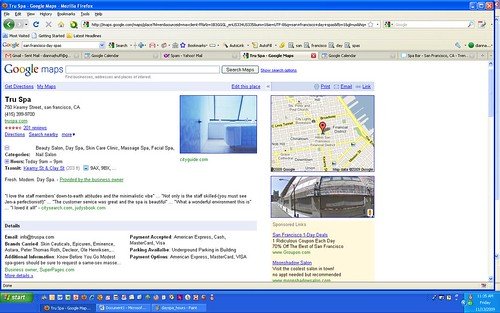
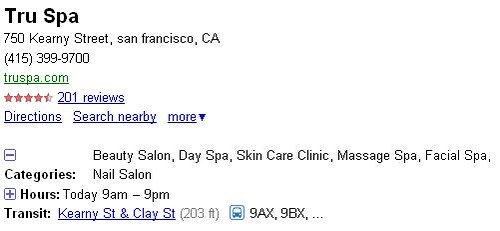
Its competitor, Tru Spa, also located in San Francisco, lists its
operating hours and six categories, as you can see in the screen shot
below.
2. Ask all of your customers to give you a review – on multiple sites.
Customer reviews comprise a major component of the local search
algorithm. And, as you can see in the screen shot below, Google is now
including a link for “Reputation Trend,†which links to a trending
analysis on the review site Judy’s Book.

This means it’s becoming increasingly important that you become very
strategic about getting your customers to leave reviews for you – on
multiple review sites.
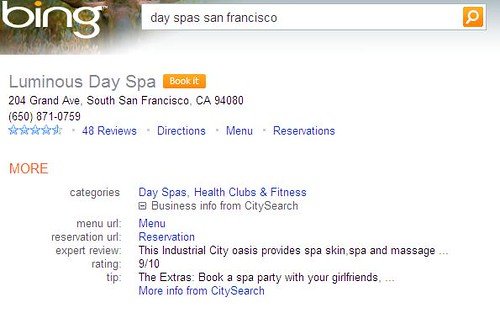
In this shot for Luminous Day Spa, you can see that Bing is pulling
information from the CitySearch directory, including “menu†and
“reservation†hot links, and it’s showing that the spa has a rating of
9/10 (we’re not sure how that is calculated).
Other review sites you’ll want to consider include:
Local review sites for your city/region – These include CitySearch and Yelp, to name just two popular review sites.
Travel sites — Fodor’s and HotelTravel.com are two popular sites.
Google Reviews –
Anyone with a Google account can leave a review simply by clicking on
the little “comment†icon that follows any search engine listing
(provided the person is logged in to Google).Yahoo! and Bing Reviews – The review function works similarly to Google’s.
3. Upload your own images.
Although all three search engines let you upload images, you can
upload more than just one or two to Google’s local business center. If
you don’t upload your own images, you leave to chance exactly what
image Google is going to show – which could be unflattering, to say the
least.
For our day spa example, many of the spas used photographs of people
getting facials and massages or images of their interiors. You can also
upload your logo and YouTube videos.
(Image source: foundlocals.com)